
Transl
A downloadable utility for macOS
A fast, native, and lightweight translation utility for macOS.
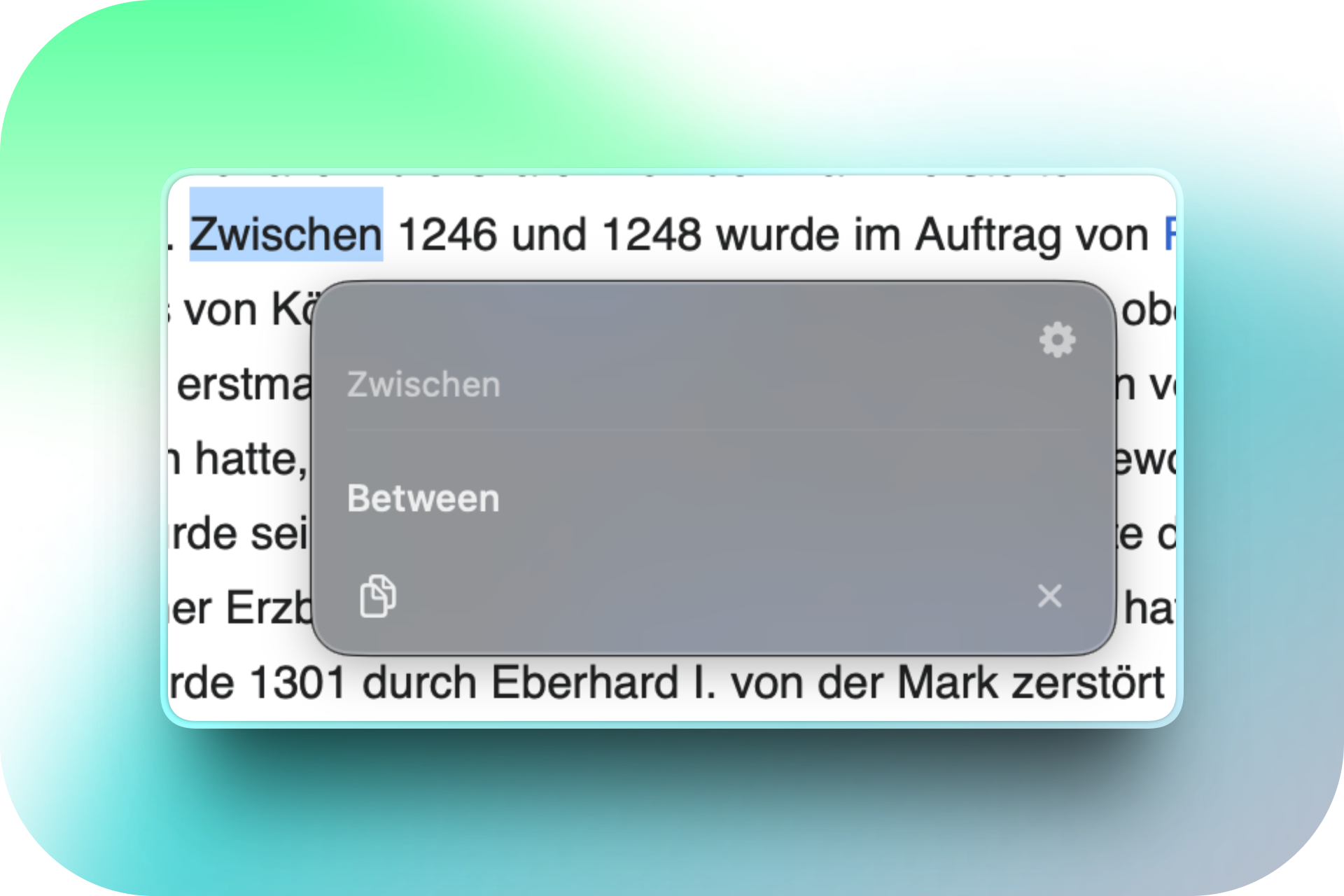
Transl lets you translate selected text instantly without breaking your workflow.
Just highlight any text, press ⌥T, and a small translation panel appears right next to your cursor.
✨ Features
- Instant translation — Select text in almost any app and press
⌥T. - Smart language detection — Transl automatically detects the source language.
- Floating panel — The translation appears right where you need it, without interrupting your current app.
- Auto-copy — Automatically copy translations to your clipboard, or copy them manually with one click.
- Lightweight — Native macOS app with a small footprint.
- Free & open source — Transl is completely free and released under the GPLv3 license.
🚀 How it works
- Select any text.
- Press
⌥T. - Transl instantly shows the translation next to your cursor.
That's it.
🔐 Privacy & Open Source
Transl is an independent open-source project. The complete source code is publicly available on GitHub, so you can inspect how the application works and audit the code yourself.
👉 View the source code on GitHub
⚙️ Accessibility Permission
Transl requires Accessibility permission to read highlighted text from other applications. This is necessary for the app to capture your selection and provide the instant translation workflow.
You can enable it in:
System Settings → Privacy & Security → Accessibility
🛡️ macOS Security Warning
Transl is an independent open-source project and is currently not signed with a paid Apple Developer ID. Because of this, macOS Gatekeeper may prevent the app from opening or show a warning about an unidentified developer.
Option 1 — Terminal
Open Terminal and run:
xattr -cr /Applications/Transl.app
Then launch Transl again.
Option 2 — System Settings
- Try opening Transl once.
- Open System Settings → Privacy & Security.
- Scroll down to the Security section.
- Find the message saying Transl was blocked.
- Click Open Anyway and confirm.
You only need to do this once.
💬 Community & Support
Have a bug, feature request, or just want to talk about the project?
Join the Discord community:
You can also follow dotapps on X:
🔗 More from dotapps
Clips
Clips is a lightweight and minimal clipboard manager for macOS, designed for fast, keyboard-driven access to your clipboard history.
Made with ❤️ by dotapps.
Download
Install instructions
- Download Transl.dmg.
- Open the
.dmgfile. - Drag Transl.app into your Applications folder.
- Open Transl from Applications.

Leave a comment
Log in with itch.io to leave a comment.